When temperatures soar, your air conditioner becomes one of the hardest-working appliances in your home. But did you know that a dirty AC can struggle to cool your room properly, consume more electricity, and even shorten its lifespan?
The good news is that you don’t need professional tools or technical expertise to give your AC a quick refresh. In just five minutes, you can clean the most important parts of your air conditioner and help it perform more efficiently.
Why Regular AC Cleaning Matters?
Over time, dust, pet hair, pollen, and other airborne particles accumulate inside your AC unit. These contaminants block airflow, forcing the system to work harder than necessary. As a result, you may notice weaker cooling, higher energy bills, and unpleasant odors.
A quick cleaning routine can help:
- Improve cooling performance
- Enhance indoor air quality
- Reduce electricity consumption
- Prevent unnecessary strain on the system
- Extend the lifespan of your air conditioner
What You’ll Need
Before you start, gather a few simple items:
- A soft microfiber cloth
- A small brush or old toothbrush
- A vacuum cleaner with a brush attachment (optional)
- A spray bottle with clean water
Step 1: Turn Off the AC
Safety always comes first. Switch off the air conditioner and unplug it if possible. This prevents accidental operation while you’re cleaning.
Time required: 30 seconds
Step 2: Clean the Air Filters
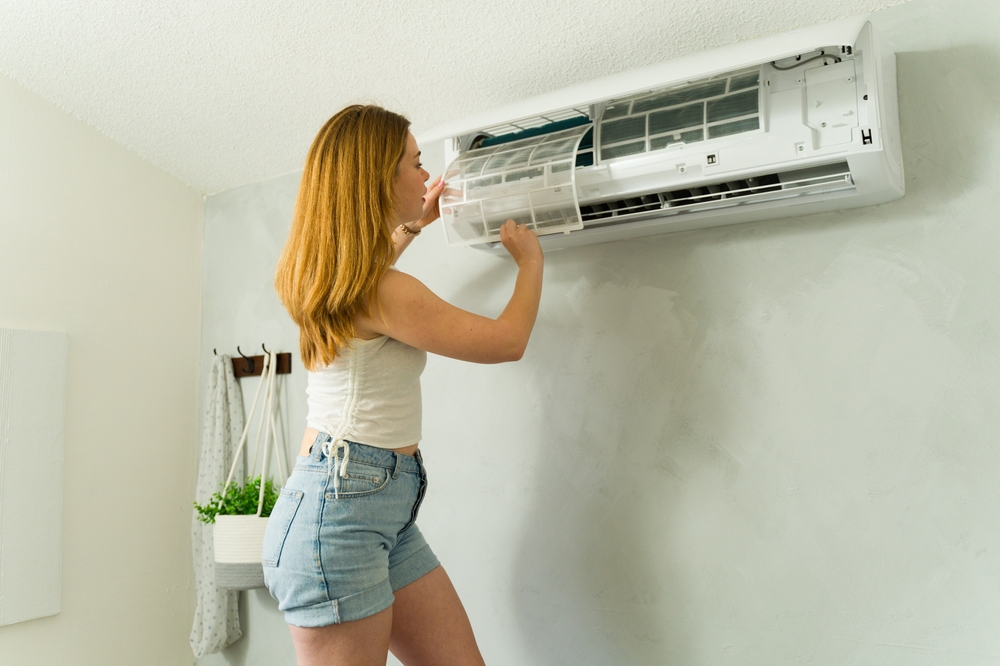
Open the front panel of your indoor AC unit and carefully remove the air filters. Most modern split ACs are designed for easy filter access.
Use a brush or vacuum to remove loose dust. If the filters are particularly dirty, rinse them gently with water and allow them to dry completely before reinstalling.
Clean filters can significantly improve airflow and cooling efficiency.
Time required: 2 minutes
Step 3: Wipe Down the Front Panel and Vents
Dust often accumulates on the front cover and air vents. Use a microfiber cloth to wipe these surfaces clean.
Pay special attention to the louvers, as dust buildup can affect airflow distribution throughout the room.
Time required: 1 minute
Step 4: Check the Outdoor Unit
If your AC has an outdoor condenser unit, take a quick look to ensure leaves, dirt, or debris aren’t blocking the airflow around it.
Remove any visible obstructions and make sure there is adequate space around the unit for proper ventilation.
Time required: 1 minute
Step 5: Reinstall and Restart
Once the filters are completely dry, place them back into the unit and close the front panel securely.
Turn the AC back on and enjoy improved airflow and more efficient cooling.
Time required: 30 seconds
Bonus Tip for Better AC Performance
For optimal results, clean your AC filters every two to four weeks during peak summer months. Homes with pets, smokers, or higher dust levels may benefit from more frequent cleaning.
Additionally, keeping doors and windows closed while the AC is running can help maintain a consistent temperature and reduce energy waste.
A cleaner air conditioner doesn’t just cool your home better—it can also save energy and help maintain healthier indoor air. Spending just five minutes on basic AC maintenance can make a noticeable difference in performance, especially during the hottest months of the year.
Make this quick cleaning routine a regular habit, and your air conditioner will thank you with stronger cooling, lower energy consumption, and a longer service life.